
Copilote3.5 - App Store
You'll be able to see results in few seconds.
Publisher Description

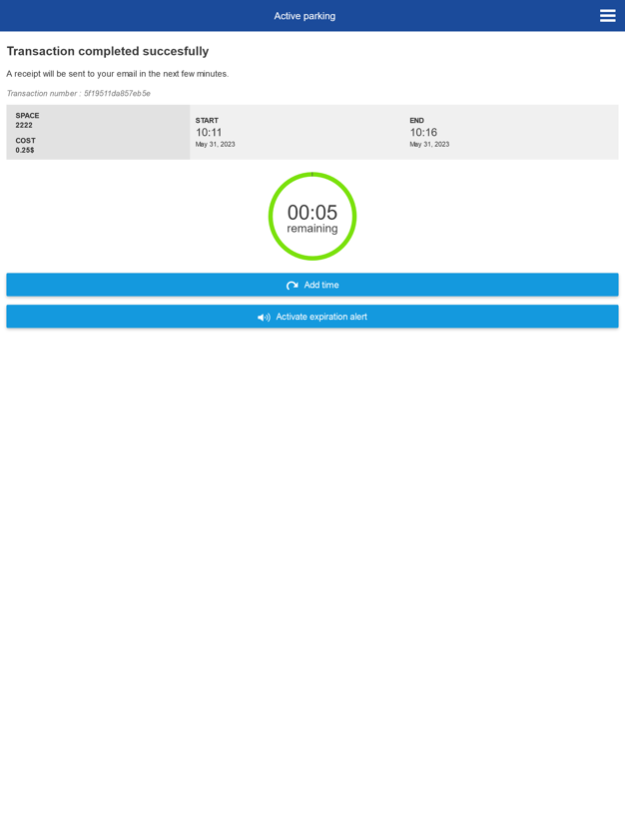
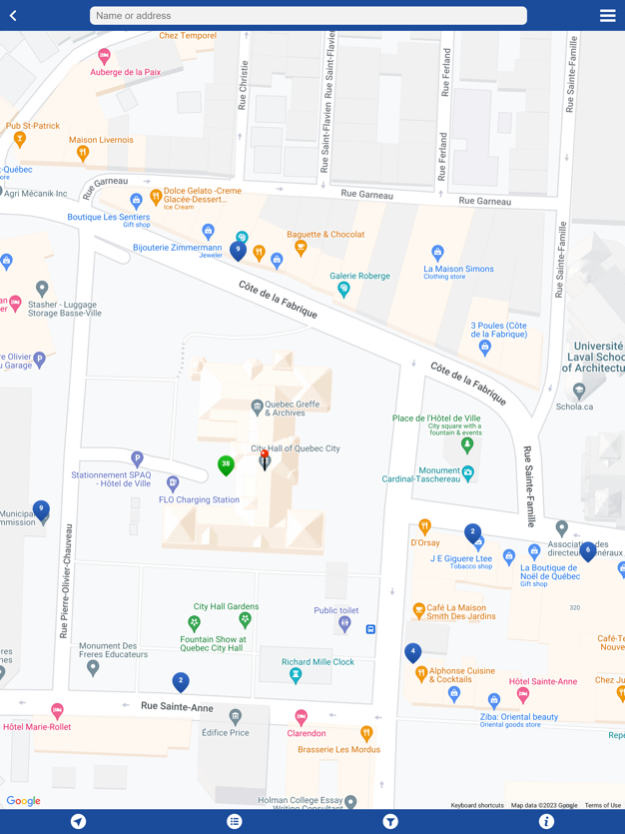
Copilote is the City of Québec’s mobile app for urban transportation. It includes a secure payment feature that lets users pay for parking with their mobile devices for no additional fee, both in metered street parking and municipal lots and parkades. Copilote also lets drivers add time to their meter remotely.
Copilote is easy to use. There are just three easy steps:
1. The first time you use Copilote, sign up with the app’s billing form
2. Connect to your account and add your credit card information
3. Enter the parking space number indicated on the pole near your parking space
4. Choose the length of time you wish to park and confirm the transaction —you will be billed for the corresponding amount
Copilote also lets users do the following:
• Add time to your current parking space by using the payment service
• Receive a notification a few minutes before you run out of time
• Find an open parking space, with availability updated in real time
• Access your profile and consult your transaction history.
Please note that this application uses your mobile device’s location functions when in parking search mode. Continuous GPS use can significantly reduce the battery life and power of your mobile device.
Apr 8, 2024
Version 3.5
Abandonment of the mobile application. Redirection to the application's website.
About Copilote
The company that develops Copilote is Ville de Québec. The latest version released by its developer is 3.5.
To install Copilote on your iOS device, just click the green Continue To App button above to start the installation process. The app is listed on our website since 2024-04-08 and was downloaded 0 times. We have already checked if the download link is safe, however for your own protection we recommend that you scan the downloaded app with your antivirus. Your antivirus may detect the Copilote as malware if the download link is broken.
How to install Copilote on your iOS device:
- Click on the Continue To App button on our website. This will redirect you to the App Store.
- Once the Copilote is shown in the iTunes listing of your iOS device, you can start its download and installation. Tap on the GET button to the right of the app to start downloading it.
- If you are not logged-in the iOS appstore app, you'll be prompted for your your Apple ID and/or password.
- After Copilote is downloaded, you'll see an INSTALL button to the right. Tap on it to start the actual installation of the iOS app.
- Once installation is finished you can tap on the OPEN button to start it. Its icon will also be added to your device home screen.
Program Details
System requirements
Download information
Pricing
Version History
version 3.5
posted on 2024-04-08
Apr 8, 2024
Version 3.5
Abandonment of the mobile application. Redirection to the application's website.
version 3.4
posted on 2023-06-19
Jun 19, 2023
Version 3.4
Account deletion
version 3.3.1
posted on 2018-12-16
Dec 16, 2018 Version 3.3.1
Bug fixes and minor changes
version 2.0.3
posted on 2015-03-23
version 3.3.1
posted on 1970-01-01
2018年12月16日 Version 3.3.1
Bug fixes and minor changes
version 3.3.1
posted on 1970-01-01
16 de dez de 2018 Version 3.3.1
Bug fixes and minor changes
Disclaimer
Official App Store Link
We do not host Copilote on our servers. We did not scan it for viruses, adware, spyware or other type of malware. This app is hosted by Apple and passed their terms and conditions to be listed there. We recommend caution when installing it.
The App Store link for Copilote is provided to you by apps112.com without any warranties, representations or guarantees of any kind, so access it at your own risk.
If you have questions regarding this particular app contact the publisher directly. For questions about the functionalities of apps112.com contact us.
